

Proven Web Speed Optimisation Methods to Improve Performance
Introduction: Why Website Speed Matters More Than Ever
Web speed optimisation has become one of the most important parts of running a successful website. Whether someone visits an online store, service website, portfolio, or local business page, users expect pages to load quickly and smoothly across all devices.
A slow website does more than frustrate visitors. It can reduce search visibility, increase bounce rates, weaken advertising performance, and lower conversions. Even a delay of a few seconds can affect whether someone stays on a website or leaves for a competitor.
For small businesses, website performance is now closely tied to trust and credibility. A fast-loading website creates a better first impression and helps users interact with content more comfortably, especially on mobile devices.
Modern search engines also prioritise user experience. That means faster websites often perform better in search rankings, particularly when they meet Core Web Vitals standards and mobile usability expectations.
This guide explains what web speed optimisation is, why it matters, and the most effective ways to improve website performance without unnecessary technical complexity.
What Is Web Speed Optimisation?
Web speed optimisation is the process of improving how quickly a website loads and becomes usable for visitors. It focuses on reducing delays caused by large files, poor hosting, unnecessary scripts, and inefficient website structure.
A fast website is not only about loading the homepage quickly. True website performance also includes responsiveness, smooth interactions, mobile usability, and stable page layouts.
Common Performance Metrics Explained
Several metrics are commonly used to measure website speed and user experience.
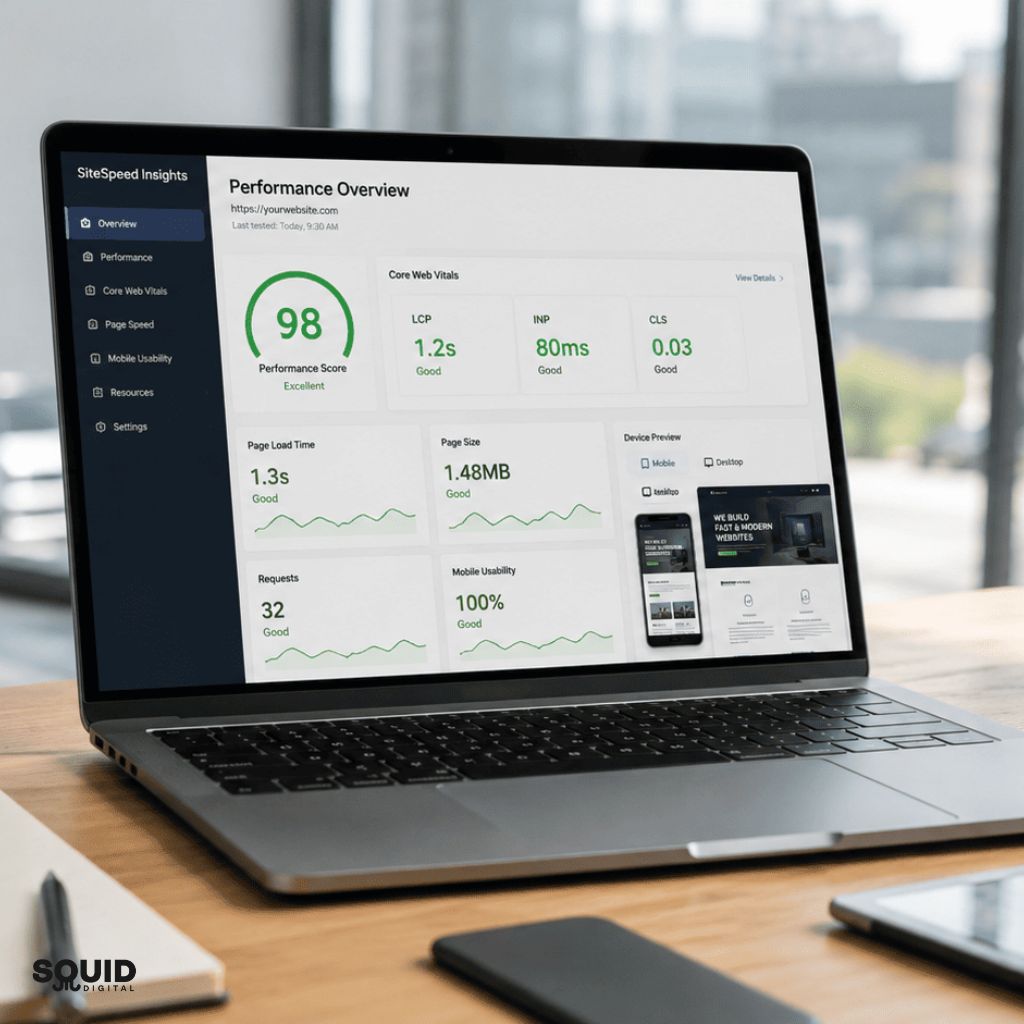
- Largest Contentful Paint (LCP): Measures how quickly the main visible content loads
- Interaction to Next Paint (INP): Measures responsiveness when users click or interact
- Cumulative Layout Shift (CLS): Measures visual stability while loading
- Time to First Byte (TTFB): Measures server response speed
These metrics are part of Google’s Core Web Vitals framework, which helps evaluate real-world website usability.
Simple Breakdown of How a Website Loads
When someone visits a website, several processes happen within seconds:
- The browser sends a request to the hosting server
- Website files such as images, CSS, and scripts begin loading
- The browser processes and displays the content
- Interactive elements become usable
- Additional background scripts continue loading
If any of these stages are delayed, the website may feel slow or unresponsive.
The Real Business Impact of a Slow Website
A slow website affects both user experience and business performance. Visitors often decide within seconds whether they trust a website enough to continue browsing.
For small businesses competing online, speed can influence enquiries, bookings, online sales, and lead generation.
How Slow Websites Hurt Business Growth
Slow websites commonly create problems such as:
- Lower Google rankings
- Reduced engagement
- Higher bounce rates
- Poor mobile experience
- Lower conversion rates
- Increased advertising costs
Google Ads landing pages, for example, may perform less efficiently if users abandon the website before interacting with the content.
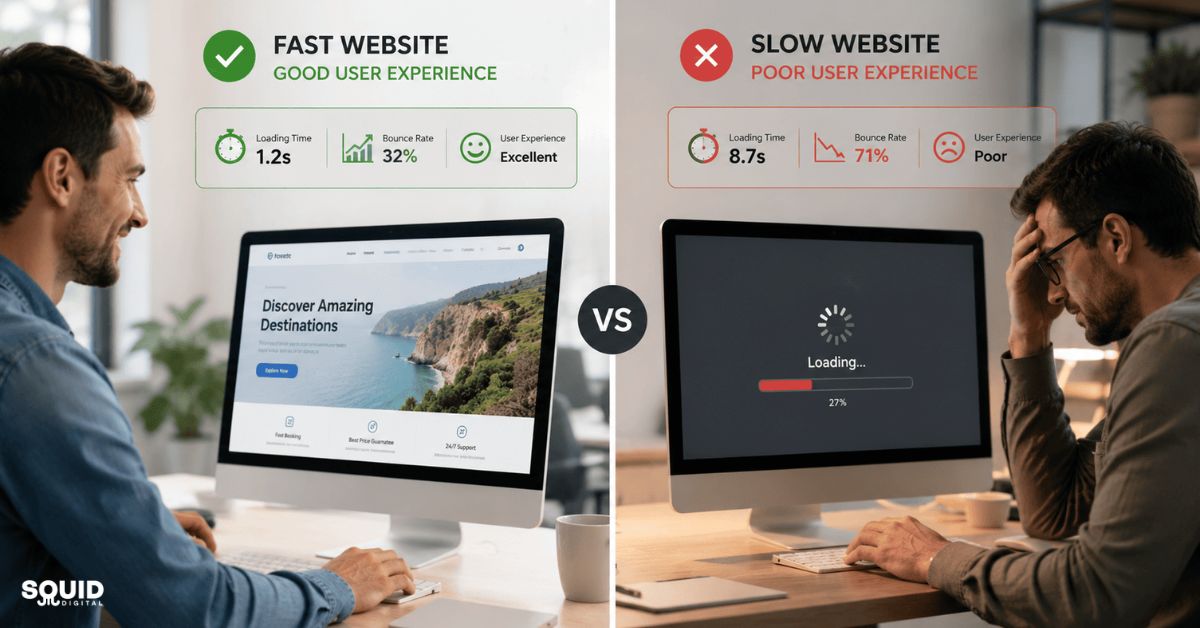
Fast Website vs Slow Website Comparison
| Area | Fast Website | Slow Website |
|---|---|---|
| User Experience | Smooth and responsive | Frustrating and delayed |
| SEO Performance | Better ranking potential | Reduced visibility |
| Conversion Rate | Higher engagement | More abandoned visits |
| Mobile Performance | Easier browsing | Poor usability |
| Advertising ROI | Better landing page quality | Wasted ad spend |
Real-World Example: Small Business Website Improvement
A local service business running Google Ads noticed visitors leaving their website quickly, especially on mobile devices.
After reviewing performance, they discovered several large homepage images, excessive plugins, and slow shared hosting were affecting load speed.
They improved performance by:
- Compressing images
- Removing unnecessary plugins
- Upgrading hosting
- Enabling caching
Within several weeks, bounce rates decreased and enquiry submissions improved noticeably. Mobile users also spent more time browsing service pages.
This type of improvement is common because faster websites reduce friction during the user journey.
Key Takeaways
- Website speed directly affects user behaviour
- Mobile performance is especially important
- Faster pages can improve both SEO and conversions
The Most Effective Web Speed Optimisation Methods
The best web speed optimisation strategies focus on reducing unnecessary website weight while improving server efficiency and user experience.
Optimise Images Without Reducing Quality
Images are one of the biggest causes of slow-loading websites. Large image files consume bandwidth and increase loading times, particularly on mobile connections.
Practical image optimisation methods include:
- Using modern formats like WebP or AVIF
- Resizing oversized images before uploading
- Compressing images without visible quality loss
- Enabling lazy loading for below-the-fold images
Many websites upload images directly from phones or cameras without optimisation, resulting in unnecessarily large file sizes.

Reduce Unnecessary Website Scripts
Every plugin, app, tracking script, or animation adds additional loading requests.
Removing unused scripts can significantly improve performance.
Common areas to review include:
- Unused WordPress plugins
- Excessive pop-ups
- Heavy sliders and animations
- Multiple third-party tracking tools
Industry trends increasingly favour lightweight website design over feature-heavy pages because users prioritise speed and simplicity.
Improve Hosting and Server Performance
Hosting quality plays a major role in website speed optimisation.
Cheap shared hosting environments often slow down during traffic spikes because multiple websites share limited resources.
Better hosting solutions may include:
- Managed WordPress hosting
- VPS hosting
- Cloud hosting
- Content Delivery Networks (CDNs)
A CDN stores website assets across multiple global servers, helping visitors load content from a location closer to them.
Enable Website Caching
Caching stores temporary website data to reduce repeated loading requests.
Types of caching include:
- Browser caching
- Page caching
- Object caching
Caching can dramatically reduce load times for returning visitors.
Minify and Compress Website Files
Minification removes unnecessary characters from CSS and JavaScript files.
Compression methods such as GZIP or Brotli reduce file sizes before delivery to the browser.
These optimisations improve loading efficiency without changing website functionality.
A Practical Web Speed Optimisation Checklist
For many businesses, improving website speed becomes easier when approached step by step.
Step-by-Step Website Speed Improvement Process
- Test current website performance
Use tools like PageSpeed Insights or GTmetrix to identify slow-loading elements. - Identify oversized files and scripts
Review large images, videos, plugins, and unnecessary code. - Compress and optimise images
Resize images properly and convert them into modern formats. - Remove unnecessary plugins or apps
Eliminate tools that are outdated or rarely used. - Enable caching and compression
Configure caching systems and file compression settings. - Review hosting quality
Upgrade hosting if server response times remain slow. - Retest regularly
Ongoing monitoring helps maintain performance over time.

Quick Wins That Often Deliver Immediate Results
- Reduce homepage image sizes
- Remove autoplay videos
- Limit excessive animations
- Optimise mobile layouts
- Use lightweight themes
Recommended Performance Testing Tools
Several tools provide useful website speed insights:
- Google PageSpeed Insights
- GTmetrix
- Lighthouse
- WebPageTest
Each tool highlights different performance issues and user experience metrics.
Common Web Speed Optimisation Mistakes to Avoid
Many websites attempt optimisation but still struggle with slow performance due to avoidable mistakes.
Overloading Websites With Plugins
Too many plugins often create unnecessary scripts and database requests.
This is especially common on WordPress websites where businesses install multiple tools without reviewing performance impact.
Experience shows that simplifying website functionality often improves both speed and stability.
Ignoring Mobile Performance
Mobile traffic now dominates many industries, particularly local services and eCommerce.
A website that performs well on desktop but poorly on mobile may still lose rankings and conversions.
Common mobile performance issues include:
- Oversized images
- Large pop-ups
- Heavy animations
- Slow mobile hosting response
Using Cheap or Poor-Quality Hosting
Low-cost hosting can appear attractive initially, but server limitations often create long-term performance issues.
Businesses running paid advertising campaigns are particularly affected because slow landing pages reduce conversion efficiency.
Optimising Only for Desktop Users
Desktop internet connections are often faster than mobile networks.
Testing only on desktop can create misleading performance expectations.
Focusing Only on Scores Instead of Real Experience
PageSpeed scores are useful indicators, but they should not become the sole objective.
A website with slightly lower scores but excellent usability can still perform extremely well in real-world conditions.
Common Mistakes Recap
- Installing too many plugins
- Ignoring mobile optimisation
- Using weak hosting infrastructure
- Chasing perfect scores instead of usability
Building a Long-Term Website Performance Strategy
Web speed optimisation is not a one-time task. Website performance changes over time as businesses add content, plugins, tracking tools, and design updates.
Create a Sustainable Optimisation Workflow
A long-term approach may include:
- Monthly speed testing
- Regular plugin reviews
- Image optimisation standards
- Hosting performance monitoring
- Routine database clean-ups
Businesses that maintain websites consistently often experience fewer performance problems later.
When to Consider a Full Website Redesign
Sometimes optimisation alone cannot solve deeper performance problems.
Older websites may rely on:
- Outdated themes
- Bloated page builders
- Legacy code
- Poor mobile structures
In these situations, a streamlined redesign may provide better long-term performance than repeated patch fixes.
Balancing Design, Features, and Speed
Modern website design trends increasingly prioritise speed, accessibility, and usability.
Overly complex websites may look impressive visually but often create slower experiences for users.
The best-performing websites usually balance:
- Clean design
- Fast loading
- Easy navigation
- Mobile usability
- Functional simplicity
Frequently Asked Questions About Web Speed Optimisation
What is considered a good website loading speed?
Generally, websites should load within two to three seconds. Faster websites usually provide better user experience and lower bounce rates.
Does website speed affect Google rankings?
Yes. Website speed is part of Google’s ranking considerations, especially through Core Web Vitals and mobile usability signals.
How can small businesses improve website speed quickly?
Small businesses can often improve speed quickly by compressing images, removing unnecessary plugins, enabling caching, and improving hosting quality.
What is the biggest cause of slow websites?
Large images, excessive scripts, poor hosting, and bloated plugins are among the most common causes.
Is shared hosting bad for website performance?
Not always, but lower-quality shared hosting can create slow response times when server resources are overloaded.
How often should website speed be tested?
Monthly testing is recommended, especially after major updates or plugin installations.
Can large images slow down a website?
Yes. Oversized images are one of the most common performance problems, particularly on mobile devices.
What tools are best for testing website speed?
Popular tools include Google PageSpeed Insights, GTmetrix, Lighthouse, and WebPageTest.
Improving Website Speed Creates Better Business Results
Web speed optimisation is no longer optional for businesses that want strong online performance. Faster websites improve user experience, strengthen search visibility, and help visitors engage with content more effectively.
The most effective improvements often come from practical actions such as image optimisation, better hosting, caching, and reducing unnecessary scripts. Small changes can create noticeable improvements in loading speed and usability.
Businesses that treat website performance as an ongoing process usually achieve better long-term results than those relying on one-time fixes. As mobile usage and user expectations continue to grow, website speed will remain an important part of SEO, advertising performance, and customer experience.
Make Website Performance Part of Your Ongoing Website Strategy
Even small website speed improvements can create a better experience for visitors and help support stronger long-term business growth. Start by identifying the biggest performance issues first, then focus on practical improvements that make the website faster, simpler, and easier to use.
Contact us now to discuss a practical website performance approach that keeps your website fast and performing effectively for your business goals.
Subscribe to our LinkedIn newsletter for ongoing insights, practical tips, and updates on website performance, maintenance, SEO, and digital performance strategies.